See a project's activity
Read the activity grid of an agile project: tasks completed or created each day over the last year, with a total for every person.
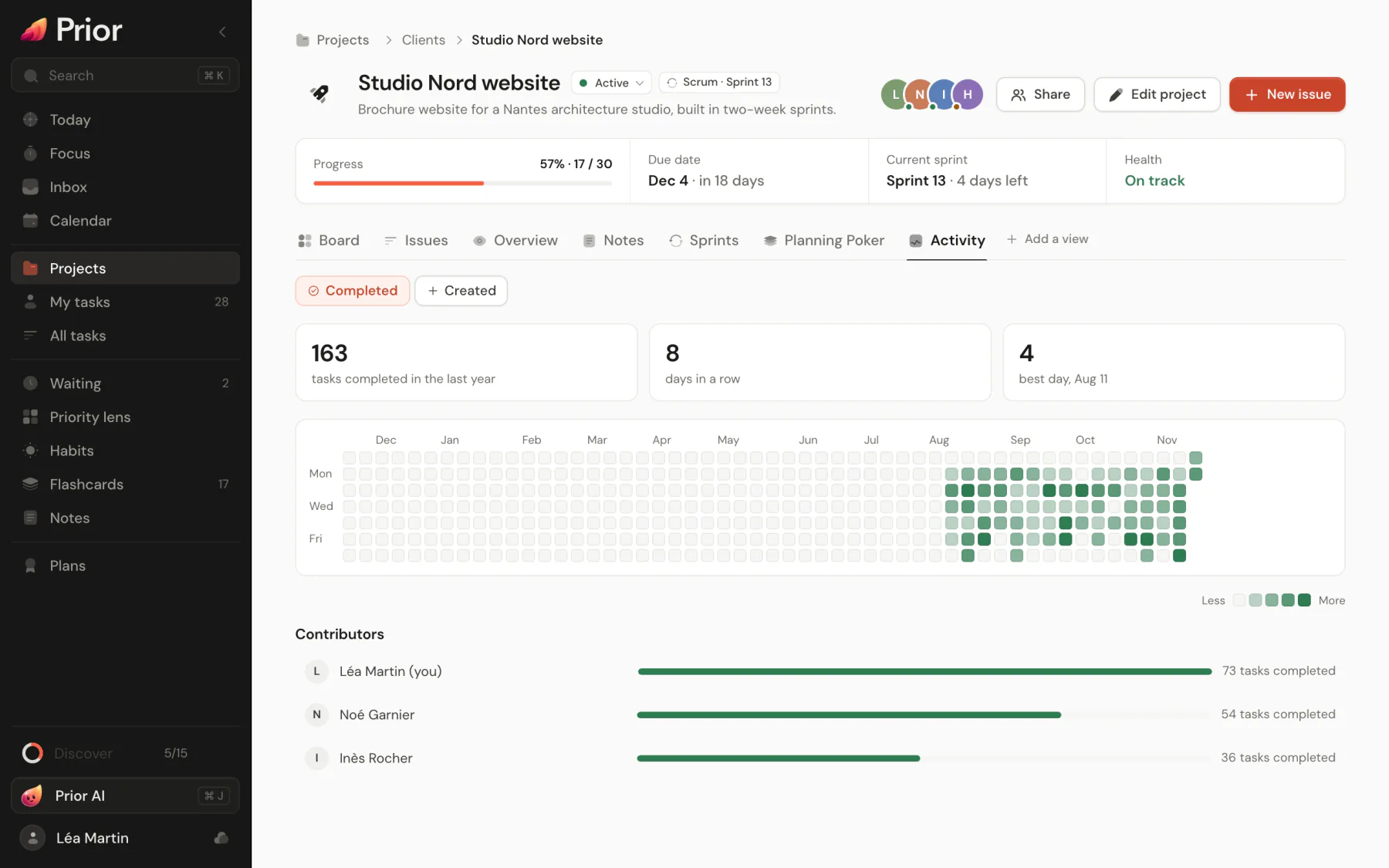
The Activity tab of an agile project shows a grid of squares, one per day, in the style of a code contribution graph. A darker square is a busier day. It answers "how much did we finish, and who did it?" without opening a report. Standard projects do not have this tab. Everyone in the project, viewers included, can read it.
Read the grid
- Completed counts the tasks that went from open to done that day. Created counts the tasks that were added. Switch between them above the grid.
- The grid covers the last 53 weeks and ends with the current week. Days follow your time zone.
- Hover a square to see the count and the date.
- Colors have 5 levels, from empty to darkest, and are relative to the busiest day in the grid.
Three figures sit over the grid: the total for the last year, the current streak, and the best day. The streak counts days in a row with at least one task, ending today or yesterday.
See who did what
Under the grid, Contributors lists each person with a bar and a count, the most active first. A task is credited to the person who completed it, or created it, not to its assignee. Choose a name to show only their squares, and choose it again to go back to everyone. People who have left the project appear as "Former member", and deleted accounts as "Deleted user".
Good to know
- Activity is rebuilt from the history of changes stored on Prior's servers, so it only covers the time since the tasks were synced. A task that is completed, reopened and completed again counts each time it goes to done. Deleted tasks do not count.
- If Prior cannot reach the server, it shows what this device knows and says so: "Showing this device's history: the shared history is unavailable offline." In that view, completions are credited to you.
- Activity counts tasks, not time spent. For the pace of a sprint, see Read a sprint's burn chart.
Updated 5 November 2026