Learn Prior with Discover
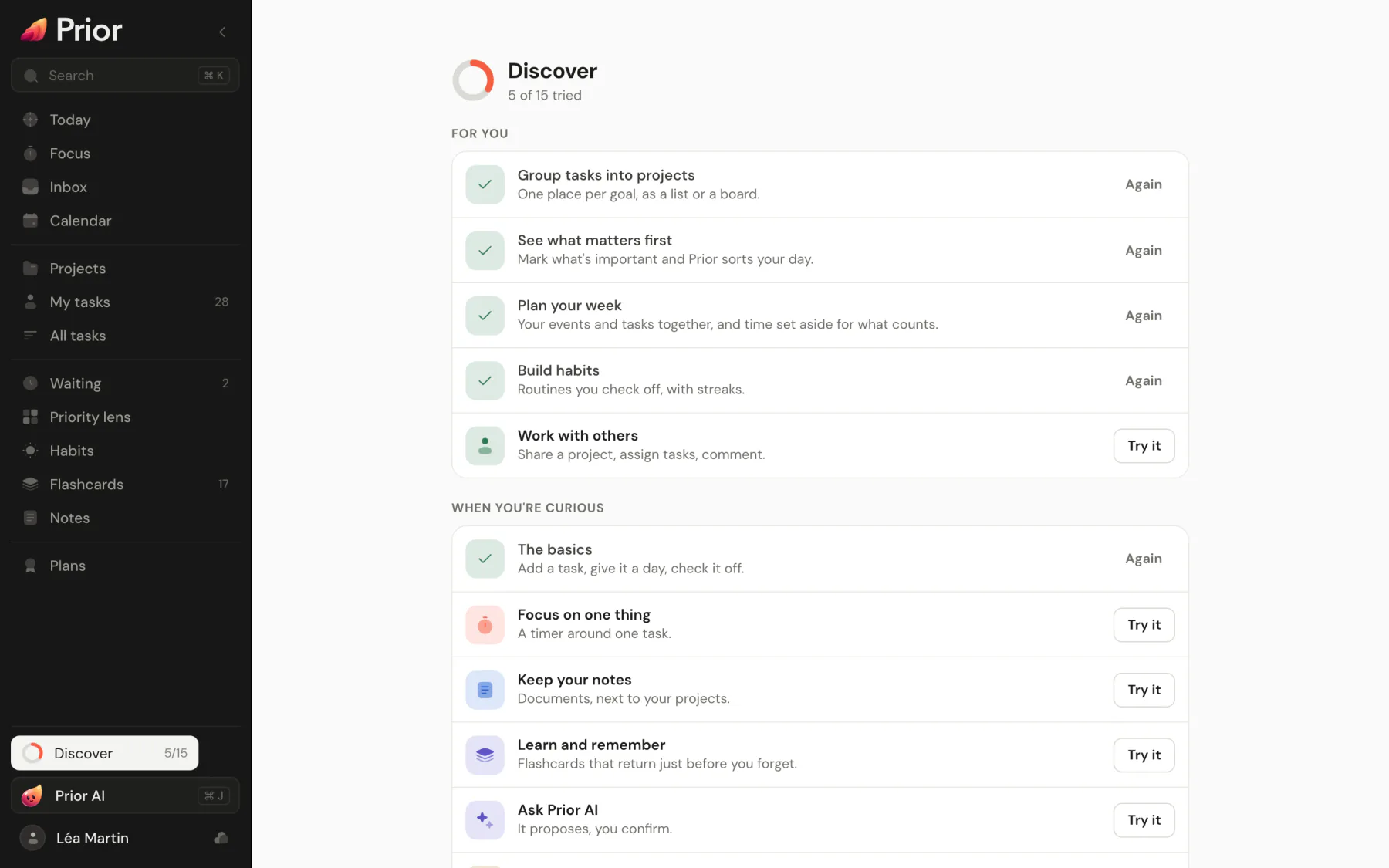
Discover is a short course inside Prior: 15 chapters of one to three real gestures each, started by you, on your own tasks, with progress saved to your account.
Discover teaches Prior by doing. Each chapter is one sentence and one Try it button. A small bubble then points at the real screen and asks for one to three real gestures on your own data, like adding a task or opening the calendar. You start a chapter when you want it.
Open Discover
- Click Discover at the bottom of the sidebar. The ring shows how many chapters you tried.
- On a phone, use the Discover tab, or the card at the top of More.
- Press Cmd K or Ctrl K and run Discover Prior.
- Open Settings → General → Navigation and choose Open in the Discover row.
The chapters
| Chapter | What you learn |
|---|---|
| The basics | Add a task, give it a day, check it off. |
| Group tasks into projects | One place per goal, as a list or a board. |
| See what matters first | Mark what is important and Prior sorts your day. |
| Plan your week | Your events and tasks together, and time set aside for what counts. |
| Build habits | Routines you check off, with streaks. |
| Focus on one thing | A timer around one task. |
| Keep your notes | Documents next to your projects. |
| Learn and remember | Flashcards that come back right before you forget. |
| Work with others | Share a project, assign tasks, comment. |
| Ask Prior AI | It proposes and you confirm. |
| Go faster | One shortcut to find anything. |
| Turn email into tasks | Read your mail here and keep what needs doing. |
| Follow up with people | What others owe you, in one list. |
| Run sprints | Scrum or Kanban for software projects. |
| Track a budget | The costs of a project, line by line. |
Below the chapters, Make it a game (shown while Game mode is off) has a Turn on button, and Bring your tasks opens Import your data. The list shows Start here until you finish the basics, then For you (your goals) and When you're curious.
How a chapter works
- Choose Try it. The bubble points at the first thing to do, with a ring around it.
- Do it for real. The step is checked by the action itself, not by a button, and the bubble moves on.
- At the end a toast says so and offers the next chapter, starting with your goals.
The guide never dims the page, and the page stays usable. Esc or the close button puts the guide away and Discover then shows Continue with the name of the chapter you left. Skip moves to the next step. A chapter counts as done when you made at least one real gesture, and doing the key action anywhere in Prior counts too: completing a task finishes The basics. A done chapter shows Again.
Add and remove spaces
Starting a chapter adds its space to your menu. A chapter whose space is hidden also shows + Menu to add the space without starting the chapter. See Find your way around Prior.
Remove from my menu, at the bottom of the page, takes the Discover row out of the sidebar. The palette and Settings → General → Navigation still open it, and Show in menu brings the row back.
Hints and suggestions
- At most one suggestion appears at the bottom of Today, chosen from your own work, like eight tasks and no project. It says what it saw and leads to one chapter. A closed or tried suggestion never returns, and the next waits 24 hours.
- A line at the top of a space you have not used, like Focus or Habits, says what it is for and offers Show me. It goes away once you dismiss it or try the space.
- The first time the composer turns your words into a date, priority or project, one line says so.
Good to know
- Your progress belongs to your account and follows you across devices.
- Accounts created before Discover existed keep their menu and get no hints or suggestions. They can open Discover from the palette or from Settings.
- Replay a chapter any time with Again. The first chapter starts on its own, see Your first day in Prior.
Updated 5 November 2026