Comment on tasks and mention people
Discuss a task in its own thread, mention teammates with @ to notify them, and see who can write, edit and delete comments.
Every task in a shared project has a Comments section at the bottom of its detail panel and of the task editor. Use it to ask a question, give a decision or hand over context, so the answer stays with the task. Tasks outside a shared project have no comments.
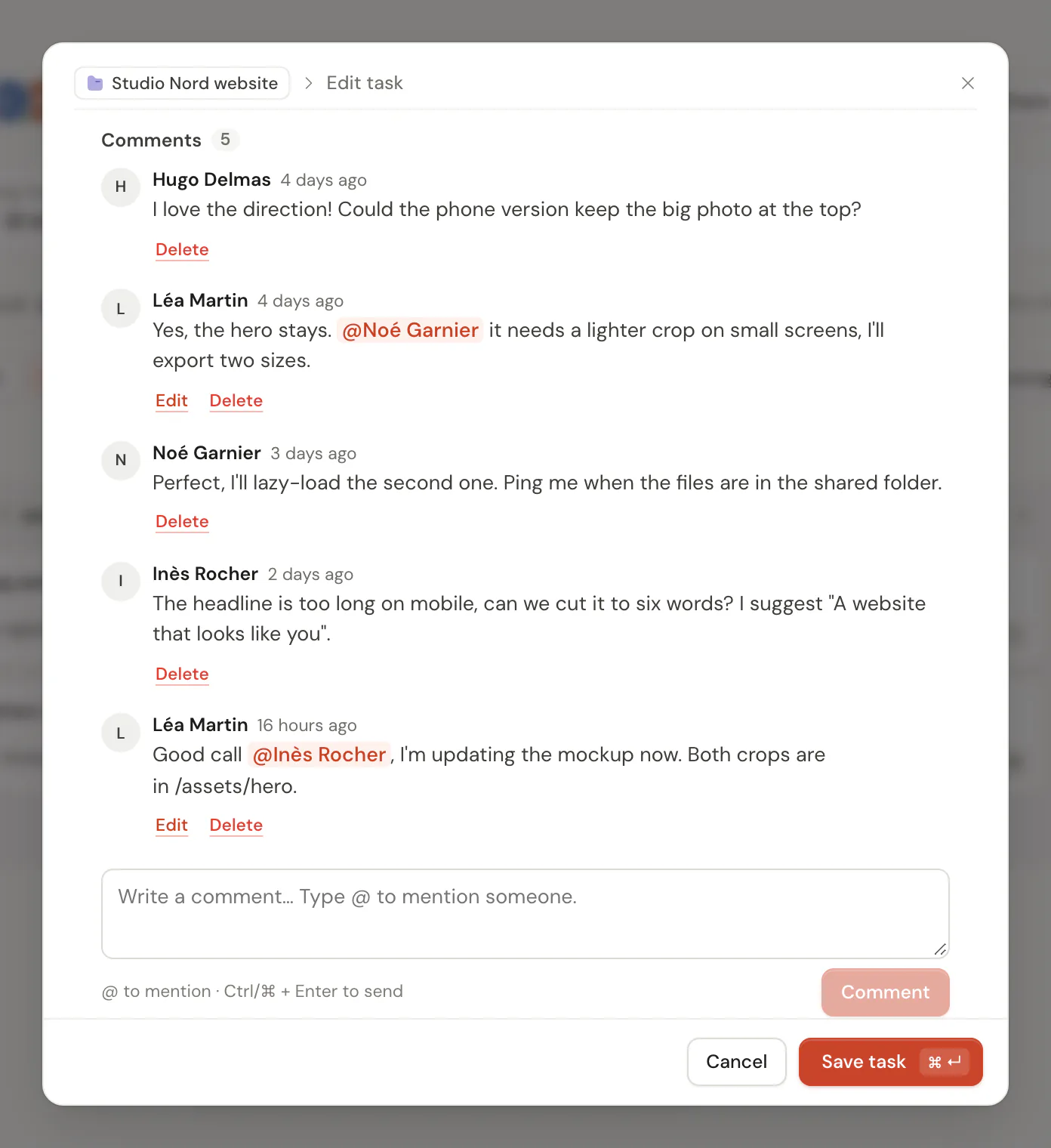
Write a comment
- Open a task of a shared project and go to Comments.
- Write in the box. Type
@to mention someone: pick a name from the list with the arrow keys, then Enter or Tab. - Choose Comment, or press Cmd Enter (Ctrl Enter on Windows and Linux).
A comment holds up to 4,000 characters of plain text. Web addresses starting with http or https become links. Comments are listed oldest first, with the author, the time, and "(edited)" when they changed.
Mentions
A mention notifies the person you named. You can mention any member of the project, viewers included, but not yourself. Prior ignores a name that is not a member, so a comment never reaches someone outside the project.
The mentioned person sees a card in Prior, "Alex mentioned you on “Update the logo” in Website", with Open and Mark as read. With several unread mentions, a button marks all of them as read. If notifications are allowed in Settings → Notifications, they also get a system notification. Opening the task, or reading the thread, marks their mentions in it as read.
Editing a comment only notifies the people who were not mentioned before.
Who can do what
- Owners and editors write comments, and edit or delete their own.
- The owner can also delete anyone's comment.
- Viewers read the thread. Where the box would be, they see "You can read the comments of this project but not write."
New comments appear in an open thread without refreshing. See Live presence.
Good to know
- Comments need a connection. Prior loads and posts them online; they are not stored with your offline tasks.
- A deleted comment is gone for everyone.
- When someone deletes their account, their comments stay in the thread under the name "Deleted user".
- A thread loads up to 500 comments.
Updated 5 November 2026