Sort tasks with the Eisenhower matrix
The Priority lens sorts open tasks into Do now, Schedule, Delegate and Later from their priority and due date. See how tasks land there and how to move them.
The Eisenhower matrix sorts work by two questions: how important is it, and how urgent? In Prior it is the Priority lens, a space that shows your open tasks in four boxes. Its page title is Priorities.
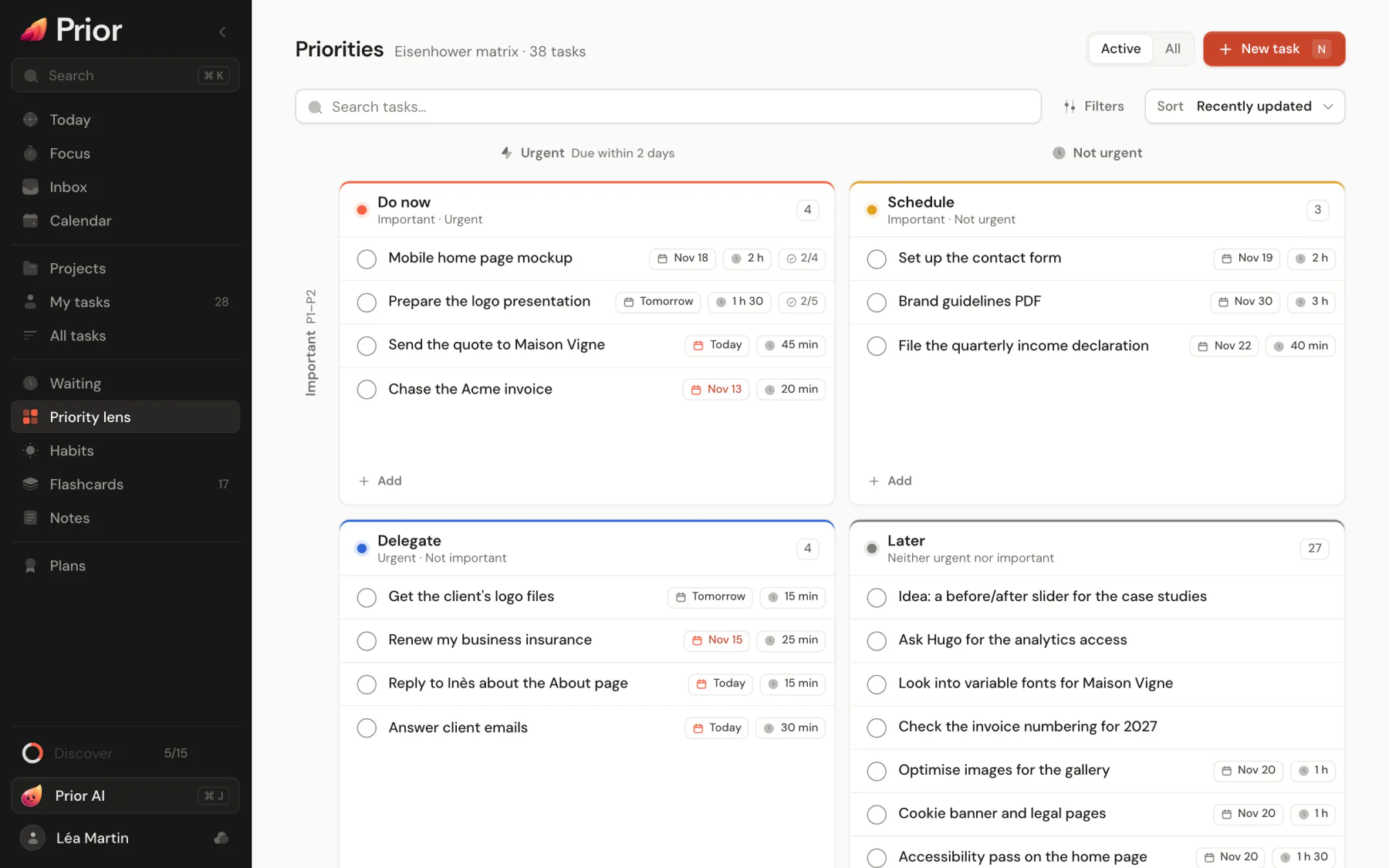
How a task lands in a quadrant
You never flag a task as important or urgent. Prior works both out:
- Important means priority P1 or P2.
- Urgent means a due date that is overdue, today or within the next two days.
| Quadrant | Important | Urgent | A task like |
|---|---|---|---|
| Do now | Yes | Yes | A P1 due tomorrow |
| Schedule | Yes | No | A P2 with no date, or due next week |
| Delegate | No | Yes | A P3 due today |
| Later | No | No | A P4 with no date |
Change the priority or the date and the task moves. It also moves by itself as days pass: a P2 task due in five days sits in Schedule now and reaches Do now three days later. Older versions of Prior had importance and urgency switches on each task. They are gone, and nothing reads them.
Use the page
- The page shows open tasks. Choose All at the top right to include completed ones. Search, Filters and Sort work as on All tasks. See Task views.
- Add at the bottom of a quadrant creates a task already set up for it: P2 for the important ones, and today's date for the urgent ones.
- Drag a task to another quadrant, or open its menu and choose Move to quadrant.
- Every quadrant has the usual row actions, and the list keys work. See Task actions.
On a narrow window and on phones, the four quadrants stack in order of priority.
What a move changes
Prior changes only what the rule needs, then tells you in a toast with Undo.
- Into an important quadrant, a task that was not important becomes P2. Out of one, an important task becomes P3. A task that stays important keeps its priority, so a P1 stays P1.
- Into an urgent quadrant, the due date becomes today. Out of one, it moves to three days from now, right after the urgent window.
A task that is already in the quadrant you pick shows "Already in this quadrant".
Good to know
- The Priority lens is an optional space. Add it in Settings → General → Navigation, or from Discover.
- In Game mode, tasks that count as important earn more XP when you complete them.
- Waiting tasks appear in the matrix like any other task.
- Habits keep their own settings and are not in the matrix.
- For the method itself and how to use it well, read the guide The Eisenhower matrix.
Updated 5 November 2026