Choose Calm or Game
Prior can stay a quiet task app, or add XP, a pet and weekly leagues on top of it. Pick one, and switch back at any time without touching your tasks.
Prior has two ways to feel. Calm is a quiet tool with nothing extra on screen. Gamified adds levels, a pet, chests and weekly leagues on top of the same tasks. Your tasks, projects and habits are identical in both, and what you earn is never for sale: paid plans give no XP, no cosmetics and no league advantage.
Where you choose
Prior asks once, after you complete your first task: "Earn XP for what you finish, and raise a pet. Your tasks stay the same." Choose Yes, let's play or No thanks. No thanks keeps you in Calm. The Discover page also has a "Make it a game" chapter if you want to decide later.
Switch at any time
- Open Settings → Game.
- Under Experience, choose Calm or Gamified.
The change saves at once and follows your account on every device. It needs a connection: without one, the page asks you to connect.
What Gamified adds
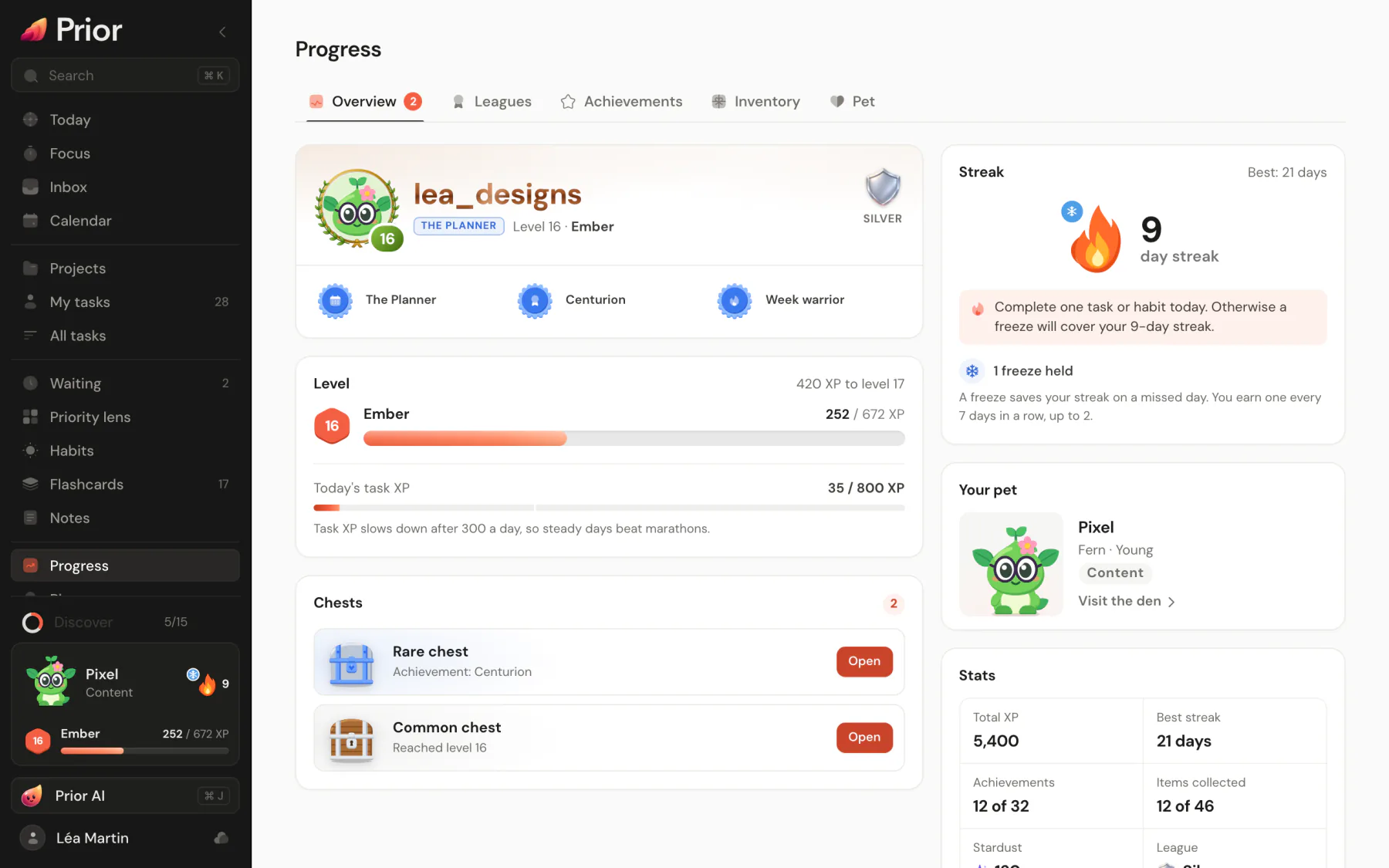
- XP and levels for the tasks you finish and the habits you check in, with a rank every 10 levels.
- A streak of days in a row.
- A pet that hatches from an egg and grows with your level.
- Chests and items from level-ups, streaks and achievements.
- Achievements.
- Weekly leagues and leaderboards, only if you choose to be seen.
The XP bar and the pet sit at the bottom of the sidebar. The Progress page, also in the sidebar, holds the details: Overview, Leagues, Achievements, Inventory and Pet. On a phone, open it from More.
What Calm does
Calm hides all of the above: no XP bar, no pet, no celebrations, no Progress page, and you never appear on a leaderboard. Prior still counts your XP, your streak and your chests in the background, so switching to Gamified later shows your real level and not a fresh start.
The first time you turn Game on
- You get a pet egg. It hatches when you complete your next task or check in a habit.
- You get a Simple ring avatar border and Classic confetti to start with.
- Prior credits the tasks you completed in the last 90 days, once, in a project or not. A message tells you the level you start at. This starting XP counts toward your level and achievements, never toward weekly leagues or project leaderboards.
Your public identity
Under Public identity in Settings → Game, which appears when Gamified is on:
- Username: how you appear on leaderboards instead of your name. See Leaderboards, usernames and kudos.
- Leaderboards: Public, Anonymous or Hidden. New accounts start on Hidden: nobody sees you until you change it.
- Effects: Full, Subtle or Off. Confetti and animations follow this, and your system's reduced-motion setting always wins.
- Sounds: small chimes for completions and level-ups. They are off by default.
Updated 5 November 2026