Keep notes inside a project
Use the Notes tab of a project for specs, decisions and meeting notes, next to the tasks. See what is shared with the team and what stays yours.
Every project has a Notes tab, next to its tasks. Keep the brief, the decisions and the meeting notes there, so the context stays close to the work.
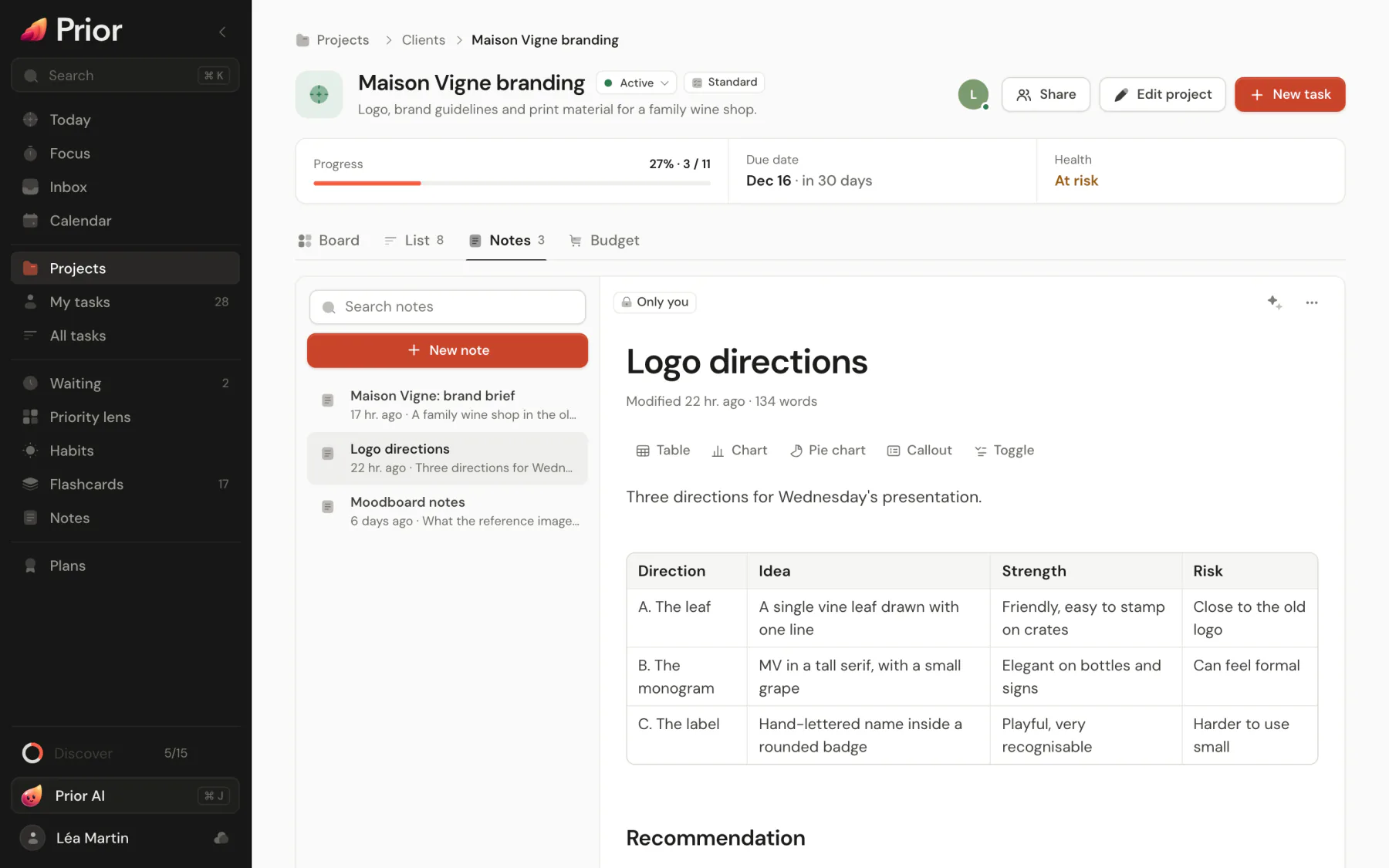
Open the Notes tab
Open the project and choose Notes. The list is on the left and the open note on the right. On a phone, the list comes first and a note opens full screen, with a back arrow.
The list has a Search notes box and a New note button. Notes are sorted by last edit, each with its age and its first words. An icon tells the two kinds apart:
- Shared, live: a note everyone in the project can open. See Write a shared note live.
- Only you: your own note, linked to the project.
Create a note
Choose New note. What you get depends on the project:
- In a project you share with other people, New note creates a shared note. Owners and editors can create them. Viewers can read them but not write.
- In a project you have not shared, New note creates a personal note linked to the project.
To turn one of your own notes into a shared one, open it and choose Share with the project, then confirm. The shared note keeps the title and text, and your personal copy goes to the trash. Nothing is ever shared without that confirmation.
See it from elsewhere
- On an agile project, the Overview tab lists the three most recent notes. See all opens the Notes tab.
- Open in Notes, at the bottom of the list, opens the full notes view of the project, with folders, the graph and the inspector. See Organize notes.
- On the Notes page of one project, the shared notes appear under Shared with the project, above your personal notes (Only you). The main library lists the shared notes of every shared project under Shared projects.
Good to know
- A personal note is only in a project's list when it was created there. Creating one from the project's Notes tab, or from the notes page of that project, links it. A note you only move into a project's folder in the library is not linked to its Notes tab.
- The same editor, templates, tables and charts are used everywhere: see Write in the note editor.
- Sharing a project is covered in Share a project.
Updated 5 November 2026