Search, sort and edit cards in the browser
Find any card with Anki-style search terms, sort the list and change many cards at once. The complete search syntax is listed here.
The card browser lists every card of every deck in one place. Search it, sort it, and fix or move many cards at once.
Open the browser
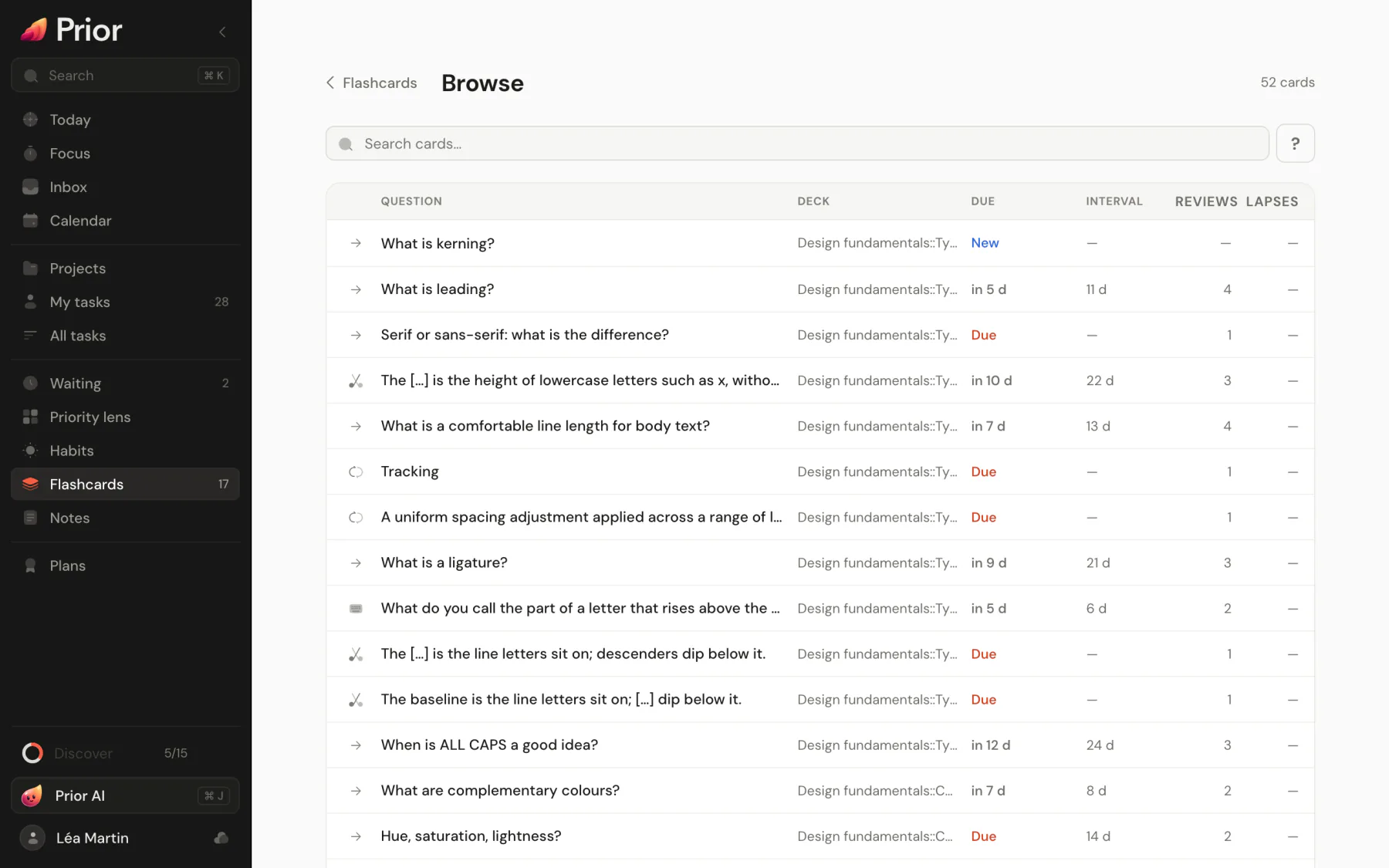
On the Flashcards page, choose the search icon, then Browse cards. Inside a deck, choose More, then Browse cards: it opens already filtered on that deck. You can also go straight to the browser.
Read the list
Each row is one card, with its Question, Deck, Due (New, Due, Suspended, Buried, or the time left), Interval, Added, Reviews and Lapses. A colored dot marks a flagged card. By default the newest cards come first. Choose the Due, Interval or Added title to sort by it, and choose it again to reverse. On a phone, or when the list is narrow, buttons above the list sort by Added, Due or Interval.
Search
Type in Search cards…. The ? button, Search syntax, shows the terms below. Choose an example in it to add it to your search.
| Term | Finds |
|---|---|
words | Cards whose front, back or picture labels contain every word. Capitals and accents do not matter, and part of a word is enough. |
"exact phrase" | Cards that contain the phrase |
deck:Biology | Cards in a deck and its subdecks. Give the deck's name or its path, deck:Spanish::Verbs. Use * as a wildcard, and quotes around a name with spaces, deck:"Spanish verbs". |
tag:chapter-2 | Cards with the tag or one of its children, chapter-2::part-a. * is a wildcard, and tag:none finds cards without a tag. |
is:new | Cards you have never answered |
is:learn | Cards being learned or relearned |
is:review | Cards in regular review |
is:due | Cards due before the end of today, learning cards included. New, suspended and buried cards are left out. |
is:suspended | Suspended cards |
is:buried | Buried cards |
is:leech | Cards forgotten 8 times or more |
flag:3 | Cards with flag 3. Flags are numbered 1 to 7, and flag:0 finds cards without a flag. |
kind:cloze | Cards of a type: basic, reversed, cloze, typed or occlusion |
added:7 | Cards created in the last 7 days. added:1 is today. |
rated:1 | Cards you answered in the last day. rated:7 is the last 7 days. |
-term | Everything except that term, for any term above: -is:suspended, -tag:none |
How terms combine:
- Several terms are joined with AND: a card must match all of them. There is no OR and no parentheses.
- A day starts at 4:00 in the morning, so
added:1andrated:1mean since the last 4:00. - Free words look in the front, the back and the labels of picture masks. They do not look at tags: use
tag:. - A word with a colon that is not one of the terms above, like
http://example.com, is searched as plain text.
A few searches to start from:
deck:Biology is:due
is:leech -is:suspended
tag:chapter-2 kind:cloze
"cell membrane" -flag:1
rated:1 is:learn
added:7 deck:"Spanish::Verbs"Select cards and change them
Click a row to select the card. A panel opens beside the list, or as a sheet on a phone, with two tabs: Edit to change the card, and Info for its history. See Card info.
To select several: Cmd-click or Ctrl-click, Shift-click for a range, or Cmd+A / Ctrl+A for every result. The arrow keys move the selection, Esc clears it and Delete asks to delete.
A bar then offers:
- Move: pick a deck and move the cards there.
- Tags: type tags, then Add or Remove.
- Flag: pick a color, or No flag.
- Suspend or Unsuspend, Bury or Unbury. See Flag, bury, suspend and study off-schedule.
- Reset: send the cards back to new. Prior asks first.
- Delete: remove the cards. Prior asks first, for example "Delete 2 notes and all their cards?"
Move, Tags and Delete act on whole notes: with a reversed note, both of its cards go together. Flags, suspending, burying and resetting act on the cards you selected.
Updated 5 November 2026