Keyboard shortcuts
Every Prior keyboard shortcut in one place: navigation, tasks, search, the task list, the Focus timer and flashcard review, for Mac, Windows and Linux.
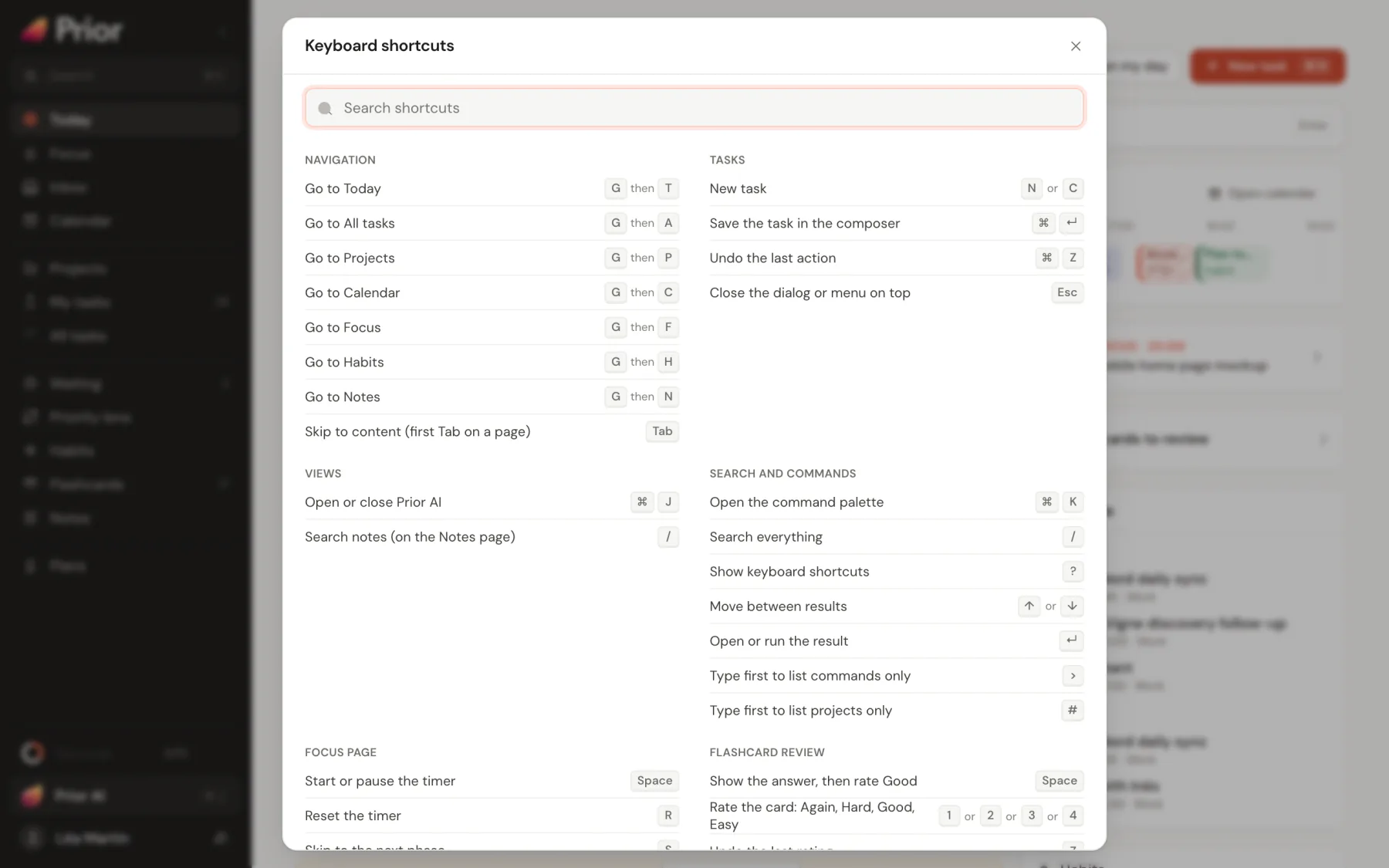
Press ? anywhere to open the shortcut list inside Prior. It has a search field and shows the right keys for your system, the keys of the task lists included. This page lists them all, and adds the keys of the composer and the review screens.
On a Mac, Cmd is the main modifier key. On Windows, Linux and Android keyboards, use Ctrl instead. Alt is Option on a Mac.
Rules for single keys
Shortcuts made of one key, like N or J, do nothing:
- while you type in a field, a note or any text box,
- while a dialog, menu, sheet or the phone More screen is open,
- during the first-run setup,
- when you also hold Cmd, Ctrl or Alt.
A page's own keys win. In Notes, / belongs to the editor. In G then a letter, press the second key within one second.
Navigation
| Keys | What it does |
|---|---|
| G then T | Go to Today |
| G then A | Go to All tasks |
| G then P | Go to Projects |
| G then C | Go to Calendar |
| G then F | Go to Focus |
| G then H | Go to Habits |
| G then N | Go to Notes |
| Cmd [ and Cmd ] on a Mac, Alt ← and Alt → elsewhere | Go back and forward. Desktop app only: browsers already do it. The mouse side buttons work too. |
| Tab | The first Tab on a page skips to the content |
Tasks
| Keys | What it does |
|---|---|
| N or C | New task. On Habits it creates a habit, and on Notes a note. |
| Cmd N or Ctrl N | New task, habit or note, depending on the page. Desktop app only: browsers keep this key for a new window, so use N there. |
| Cmd ↵ or Ctrl ↵ | Save the task in the composer |
| Cmd Z or Ctrl Z | Undo the last action, while its Undo toast is on screen. Not while you type in a field. |
| Esc | Close the dialog or menu on top |
Views
| Keys | What it does |
|---|---|
| Cmd J or Ctrl J | Open or close Prior AI |
| / | Search notes, on the Notes page |
Search and commands
| Keys | What it does |
|---|---|
| Cmd K or Ctrl K | Open the command palette. The same keys close it. |
| / | Search everything |
| ? | Show the keyboard shortcuts |
| ↑ and ↓ | Move between results |
| Ctrl Home and Ctrl End | Jump to the first or last result |
| ↵ | Open or run the result |
| > | Type it first to list commands only |
| # | Type it first to list projects only |
On a Mac, Ctrl K does not open the palette. See The command palette.
Task lists
These keys work on All tasks, My tasks, the Priority lens and Today. Move to a row first, then act on it. With several rows selected, they act on all of them. Changes show an Undo toast.
| Keys | What it does |
|---|---|
| J or ↓ | Next task |
| K or ↑ | Previous task |
| Home and End | First and last task, once a row has focus |
| ↵ | Open the task: the side panel on a wide screen, the editor otherwise |
| E | Edit |
| Space or C | Complete or reopen. With no row in focus, C creates a task. |
| X | Select the task for a bulk action (All tasks and My tasks) |
| 1, 2, 3, 4 | Set the priority to P1, P2, P3 or P4 |
| T | Due today |
| Shift T | Due tomorrow |
| Backspace or Delete | Delete, with Undo |
| Esc | Clear the selection |
See Task actions.
While you write a task
| Keys | What it does |
|---|---|
| ↵ in the title | Save the task in the composer, or add it from a quick-add field and keep the field open |
| Esc in a quick-add field | Clear the field. With the field empty, Esc closes an inline Add task row. |
| ↵ in a checklist item | Add the next item |
| Backspace on an empty checklist item | Remove it |
| Alt ↑ and Alt ↓ in a checklist | Move the item up or down |
| Cmd Shift Space or Ctrl Shift Space | Open the quick-add window from any app. Desktop app only, and you can change it in Settings → General → Quick add. |
Overdue review
In Review one by one on Today:
| Keys | What it does |
|---|---|
| T | Move to today |
| M | Move to tomorrow |
| W | Move to next week |
| N | Remove the date |
| X | Mark done |
| Backspace or Delete | Delete |
| → | Skip |
Focus page
| Keys | What it does |
|---|---|
| Space | Start or pause the timer |
| R | Reset the timer |
| S | Skip to the next phase |
| F | Full-screen focus. Esc leaves it. |
Flashcard review
| Keys | What it does |
|---|---|
| Space or ↵ | Show the answer, then rate Good |
| 1, 2, 3, 4 | Rate the card: Again, Hard, Good, Easy |
| Z | Undo the last rating |
| E | Edit the card |
| I | Show the card's information |
| R | Read the card aloud, when your device supports it |
| - | Bury the card until tomorrow |
| @ | Suspend the card |
| Cmd 1 to 7 or Ctrl 1 to 7 | Flag the card with a color |
| Esc | End the session |
Good to know
- A phone or tablet has no shortcuts unless you connect a keyboard. Then the Ctrl versions apply.
- Shortcuts follow your keyboard layout. ? and / work with Shift on layouts that need it.
- Hints on buttons and in the palette always show the keys for your system.
Updated 5 November 2026